
What players say
Geometric Pattern Fill Creator delivers exactly what its name suggests: a straightforward tool for filling circular geometric designs with color. Its strengths lie in immediate accessibility—no accounts, downloads, or installations—and a pressure-free structure with no timers or scores. The variety of designs, from large simple sections to intricate patterns, supports different moods and skill levels. The main limitation is the absence of goals or progression, which may not appeal to players seeking challenge. It best suits those looking for a calming, repetitive creative outlet.
About this game
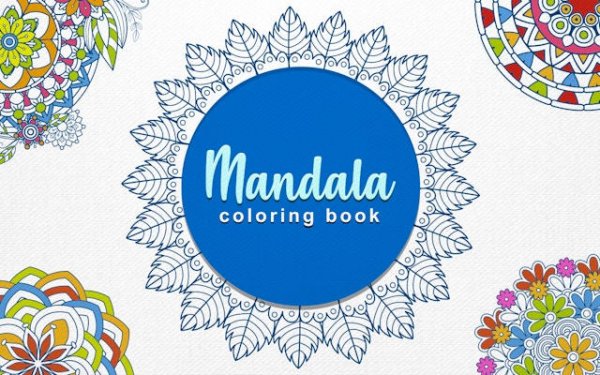
Coloring Circular Geometric Designs
Geometric Pattern Fill Creator presents a gallery of circular designs built from repeated geometric sections. Each section can be filled with a color chosen from a broad palette. The process is straightforward: select a hue, then click or tap any area to apply it. There is no wrong way to proceed, and changes can be made at any time by selecting a new color and refilling sections.
From Simple to Intricate Layouts
The collection includes many circular designs, ranging from simple arrangements with large sections to more detailed patterns with many small segments. This variety allows players to choose a complexity level that suits their mood. Some designs feature symmetrical layouts, while others offer more irregular divisions, providing different creative challenges.
Immediate Access, No Setup
The interface is designed for immediate use. No account creation, downloads, or installations are required. The game loads quickly in any modern browser and adapts to different screen sizes, making it usable on phones, tablets, or computers. Controls rely on simple taps or clicks, and the color palette is always visible for easy access.
Creative Freedom Without Pressure
There are no timers, scores, or objectives beyond completing the design to personal satisfaction. This absence of pressure encourages experimentation with color combinations. Players can try contrasting shades, build gradients, or repeat favorite colors across sections. The focus remains on the act of creation rather than achieving a specific outcome.
Relaxation Through Repetition
The repetitive nature of filling geometric sections can have a calming effect. The simple, rhythmic action of selecting and applying colors allows the mind to focus on a single task. Many players find this process helps reduce stress and provides a mental break from daily routines.
Compatibility
FAQ
Player comments
Sign in to comment
You must be logged in before posting a review or rating.
No comments yet. Be the first to comment!





Editorial Notes