
What players say
Festive Picture Palette keeps its scope narrow and executes it well: a gallery of festive outlines, a tap-to-fill brush, and a palette that ranges from pastels to vivid primaries. The absence of timers, scores, and accounts makes it approachable for children and adults who want a low-pressure creative activity. The main limitation is that it offers coloring and little else, so players seeking progression or challenge may find it too simple.
About this game
A Gallery of Festive Outlines
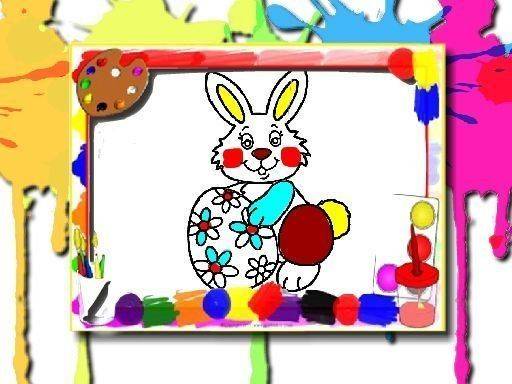
Festive Picture Palette opens with a gallery of festive outlines, each shown as a thumbnail. Clicking one loads it into a workspace where a brush tool and a palette of bright hues sit at the screen's edge. The subject matter leans on spring and holiday traditions: bunnies, decorated eggs, blooming flowers, and woven baskets. Outlines are drawn with clear boundaries, so color stays inside the lines even when a young player taps quickly. The gallery structure means a session can be as short as one picture or as long as several, with no pressure to finish anything.
Tap-to-Fill Coloring and Undo
Coloring works by selecting a shade and then tapping or clicking the area you want to fill. Because the brush fills enclosed regions in a single tap, there is no need to drag a cursor or hold a button, which suits younger players and touchscreens. The palette spans soft pastels to vivid primaries, so the same outline can be colored in very different moods. An eraser removes color from specific spots, and an undo button reverses the last action. Together these tools give full control over the final look without adding complexity.
Cross-Device and No Sign-Up
The game runs entirely in a modern web browser, so there is nothing to install. It works on desktop computers, tablets, and smartphones, and both mouse and touch input are supported. That makes it practical at home or on the go, and it means a picture started on one device can be revisited later on another. No account creation or personal information is required, so a player can open the page and start coloring immediately.
Open-Ended Play Without Timers
There are no timers, scores, or rules in Festive Picture Palette. You can spend as long as you like on a single picture, and the game never rushes you toward a result. That open-ended approach reduces stress and encourages creative play. Young children can practice color recognition and fine motor skills, while adults may find the activity meditative. When a picture is complete, it can be saved to your device for sharing or printing, and returning to the gallery lets you pick a new canvas.
Compatibility
FAQ
Player comments
Sign in to comment
You must be logged in before posting a review or rating.
No comments yet. Be the first to comment!








Editorial Notes