
What players say
Cooperative Crafting Sandbox succeeds in creating a relaxed, social building experience. The six themed maps provide enough visual variety to keep projects feeling fresh. The resource gathering and crafting loop gives purpose to the play, while the ability to drive cars adds a fun way to explore. The chat feature is a practical tool for coordination. It is a solid choice for families or groups of friends who enjoy creating together in a 3D space.
About this game
Shared Construction Spaces
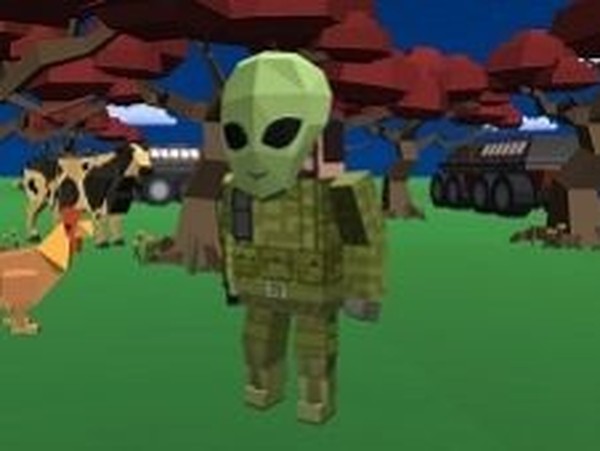
This game focuses on collaborative creation. Up to five people can enter a shared 3D world where each player contributes to a single project. The environment is a blank canvas, and the goal is to transform it together. Whether you are raising a cottage or a fortress, every player has a role.
Six Distinct Build Zones
Each of the six maps offers a different backdrop for your projects. The sandy shores, open fields, volcanic terrain, snowy tundra, arid desert, and urban city each present unique visual themes. While the core building mechanics remain consistent, the atmosphere shifts, inspiring different architectural styles.
Resource Gathering and Crafting
To build, you first need materials. The game includes a system for collecting resources from the environment and then using a crafting menu to turn them into walls, floors, roofs, and decorations. This loop of gathering and creating gives structure to the play session and encourages planning.
Vehicle Navigation
Moving around the large maps is made easier with drivable cars. These vehicles allow players to quickly travel between different build sites or explore the map for inspiration. Driving also adds a playful element to the experience, breaking up the construction work.
Social Features and Communication
An in-game chat system lets players coordinate their efforts, share ideas, or just socialize while building. This communication tool is essential for larger projects where dividing tasks is helpful. The game is designed to be a positive, social space for all ages.









Player comments
Sign in to comment
You must be logged in before posting a review or rating.
No account? Create one
No comments yet. Be the first to comment!