
What players say
Royal Rescue Puzzle Game fits players who enjoy logic puzzles that ask them to read a scene and experiment with interactions. The lack of timers and the availability of hints make it welcoming for younger players or anyone seeking a low-pressure brain teaser. Its simple click-or-tap controls work equally well on mobile and desktop. The main limitation is that the source does not specify level count or progression depth, so replay value depends on how many puzzles are included.
About this game
Rescue Through Interaction
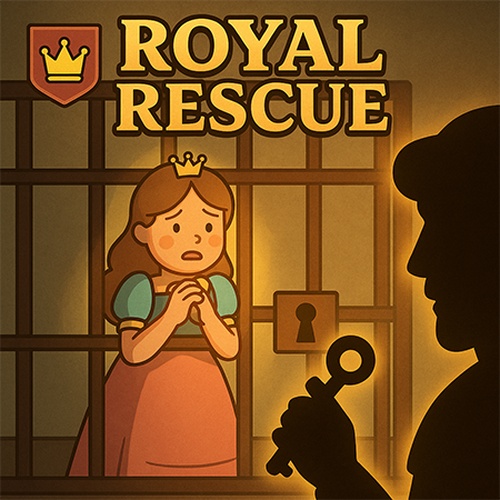
Royal Rescue Puzzle Game presents a series of self-contained scenes, each with a character in need of rescue. Your job is to identify which objects can be manipulated and in what order. Clicking or tapping the wrong element may do nothing, while the right sequence triggers a successful outcome. The challenge lies in reading visual cues and thinking through cause and effect.
Puzzle Design and Progression
Every level introduces a fresh scenario, so you are not repeating the same task with harder numbers. Instead, each puzzle asks you to notice different details and apply a new combination of interactions. Difficulty varies across the series, but the game never explains the solution outright. A hint system is available when you get stuck, offering a nudge rather than the full answer. This keeps the experience approachable for younger players or anyone new to logic puzzles, while still providing a satisfying aha moment when you solve it yourself.
Controls and Accessibility
The entire game runs on simple click or tap input. There are no timers, no reflex tests, and no complex controls to learn. That makes it playable on both mobile devices and desktop browsers without any adjustment. The family-friendly theme means no inappropriate content appears in any scene, so parents can feel comfortable letting children play. Sessions can be as short as a single puzzle or as long as you like, since the game does not force a pace.
Approaching Each Puzzle
Success depends on observation more than speed. Scan the whole scene before clicking anything. Small details, like an object slightly out of place or a character's expression, often point to the solution. If a sequence fails, try a different order or combine objects in a way you haven't yet. The hint button is there for a reason; using it does not penalize you. Taking a short break between attempts can also help you spot what you missed.
Compatibility
FAQ
Player comments
Sign in to comment
You must be logged in before posting a review or rating.
No comments yet. Be the first to comment!


Editorial Notes