

What players say
Palette Fun Coloring Studio delivers exactly what it promises: a no-fuss digital coloring book. The interface is intuitive enough for a three-year-old to use independently, yet the variety of images keeps older children engaged. I appreciate the undo feature, which removes the frustration of permanent mistakes. The lack of timers or scores creates a genuinely relaxing atmosphere. While the image library could be larger, the existing selection provides solid value. It works flawlessly on both my phone and laptop, making it a reliable option for travel or downtime.
About this game
Getting Started with Color
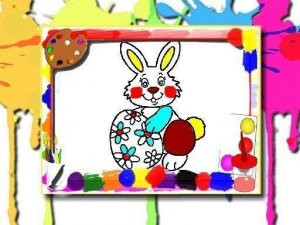
Palette Fun Coloring Studio opens to a main menu displaying several line art images. Each picture features friendly characters and simple scenes ready for color. Players select an image to load onto the canvas. A side panel holds a range of color swatches. Tapping or clicking a swatch selects that hue, and then tapping any enclosed area on the image fills it with the chosen color. This straightforward process repeats until the entire picture is complete. The interface remains clean and uncluttered, allowing even young players to navigate without assistance.
Creative Freedom and Experimentation
While the game provides suggested color schemes that match the original character designs, players are free to ignore those and invent their own palettes. A single image can be transformed with unexpected combinations, turning a familiar scene into something entirely new. This flexibility encourages creative thinking and personal expression. The color palette includes a broad spectrum of shades, from bright primaries to softer pastels, giving ample room for experimentation. There is no scoring or time limit, so users can take as long as they like on each piece.
Accessibility Across Devices
This coloring activity runs directly in a web browser, requiring no software installation or account creation. It works on desktop computers, tablets, and smartphones. Touchscreen users can tap directly on the canvas, while mouse users click to fill. The responsive design adjusts the layout to fit different screen sizes without losing functionality. This cross-platform support means children can start a picture on a home computer and continue on a parent's phone during a car ride. The game saves progress automatically in the browser session, though clearing the cache will reset unfinished work.
Relaxed Pace and Stress-Free Play
Unlike many digital games that demand quick reactions or complex strategies, Palette Fun Coloring Studio prioritizes a calm atmosphere. There are no timers, no enemies, and no failure states. The only goal is to complete a picture in a way that pleases the creator. This makes the experience suitable for winding down after school or during a quiet afternoon. The simple act of filling shapes with color can be meditative, helping to reduce stress and improve focus. Parents often find it a useful tool for keeping children engaged in a low-stimulation activity.
Variety of Image Themes
The selection of coloring pages includes multiple themes, such as animals, nature scenes, and everyday objects. Each image has clearly defined sections that make filling easy, even for small hands. The line thickness is consistent, providing clear boundaries without being too thin. Some images are simple with only a few large areas, ideal for beginners or very young children. Others have more detail with smaller sections, offering a longer creative session for those who enjoy intricate work. New images may be added over time, though the current library provides several hours of entertainment.








Player comments
Sign in to comment
You must be logged in before posting a review or rating.
No account? Create one
No comments yet. Be the first to comment!